







Published: August 10, 2026
Warehouse Management System: Complete Guide to WMS, Benefits & Implementation
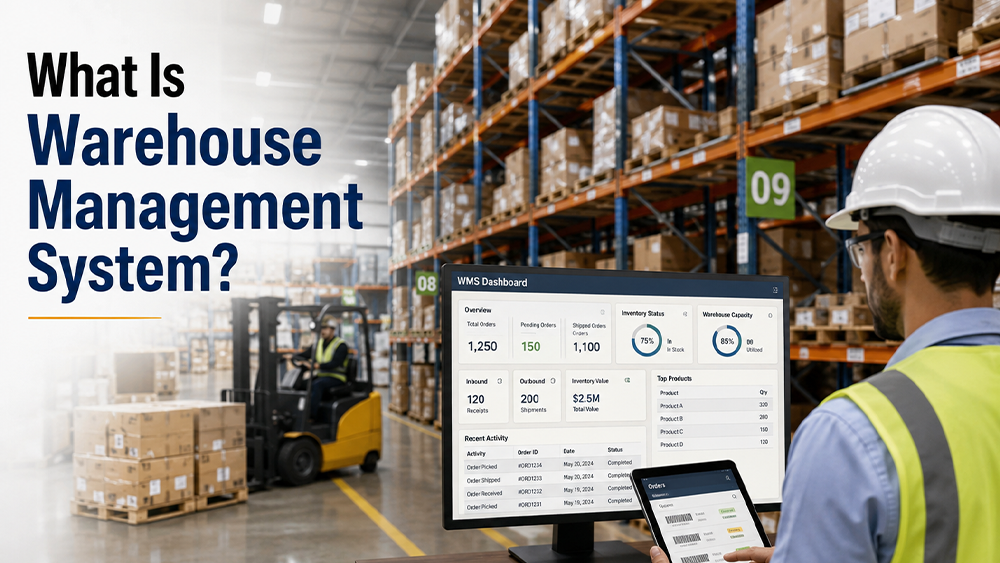
A Warehouse Management System (WMS) is a software solution designed to manage and optimise day-to-day warehouse operations, from receiving and storing goods to picking, packing, shipping, and inventory tracking. As businesses handle larger product volumes and increasingly complex supply chains, relying only on spreadsheets or manual processes can lead to inventory errors, delayed orders, excess stock, and higher operating costs.
A modern WMS provides real-time visibility into inventory and warehouse activities while helping businesses improve accuracy, productivity, space utilisation, and order fulfilment. Whether you operate a small warehouse, distribution centre, manufacturing facility, or multi-location supply chain, understanding how a WMS works can help you choose and implement the right solution.
This complete guide explains what a Warehouse Management System is, how it works, its types, key features, benefits, implementation process, challenges, and how to select the right WMS.
Also read: What Is a Centralized Procurement System
What Is a Warehouse Management System?
A Warehouse Management System (WMS) is a technology platform that helps businesses control and automate warehouse operations. It tracks inventory movement and provides warehouse teams with instructions for receiving, put-away, storage, picking, packing, and dispatch.
Instead of depending on manual records, a WMS creates a centralised digital view of warehouse inventory and operations. It can integrate with ERP, procurement, transportation, order management, barcode scanners, RFID devices, and other supply chain technologies.
For example, when a shipment arrives at a warehouse, the WMS can record the received quantity, assign a storage location, update inventory levels, and guide warehouse employees through the put-away process.
How Does a WMS Work?
A typical WMS works through a connected flow:
Inbound → Receiving → Put-Away → Storage → Inventory Management → Picking → Packing → Shipping → Reporting
The system continuously records inventory movements throughout these stages. This allows warehouse managers to understand what inventory is available, where it is located, what has been picked, and what is ready for dispatch.
Why Is a Warehouse Management System Important?
Warehouse operations involve multiple activities that must work together accurately. Even a small mistake in inventory counting or order picking can affect customer satisfaction and increase operating costs.
A WMS helps address common warehouse problems, such as:
- Inaccurate inventory records
- Manual data entry
- Misplaced products
- Slow order picking
- Poor warehouse space utilisation
- Stockouts and overstocking
- Shipping errors
- Lack of real-time inventory visibility
- Inefficient labour allocation
- Difficulty tracking warehouse performance
By digitising warehouse processes, businesses can create a more structured and measurable operating environment.
Types of Warehouse Management Systems
Different businesses have different warehouse requirements. WMS solutions can generally be classified into several types.
1. Standalone WMS
A standalone WMS focuses primarily on warehouse operations. It can manage inventory, receiving, put-away, picking, packing, shipping, and warehouse reporting.
It may be suitable for businesses that already have separate ERP or business systems but need dedicated warehouse management capabilities.
2. ERP-Integrated WMS
An ERP-integrated WMS connects warehouse operations with broader business processes such as procurement, finance, sales, production, and inventory management.
This integration helps maintain consistency between warehouse inventory and other business functions.
3. Cloud-Based WMS
Cloud-based WMS software is hosted on remote servers and accessed through the internet. Businesses generally do not need to maintain extensive on-premise infrastructure.
Cloud WMS can offer:
- Faster deployment
- Remote accessibility
- Automatic software updates
- Scalability
- Reduced IT infrastructure requirements
4. On-Premise WMS
An on-premise WMS is installed and managed on the organisation's own IT infrastructure. It can provide greater control over system configuration and data management, but generally requires more investment in hardware, maintenance, and IT resources.
5. Supply Chain or Advanced WMS
Advanced warehouse management platforms can support complex distribution networks, automation, robotics, real-time analytics, labour management, and integration with multiple supply chain systems.
These systems are often used by large enterprises and businesses with highly sophisticated warehouse operations.
Key Features of a Warehouse Management System
A good WMS should cover the major processes involved in warehouse management.
1. Inventory Management
Inventory management is one of the core functions of a WMS. The system provides visibility into stock quantities, locations, movements, and availability.
Businesses can use inventory data to reduce stock discrepancies and improve replenishment planning.
2. Receiving Management
A WMS helps warehouse teams record incoming goods and verify them against purchase orders or expected shipments.
The receiving process may include:
- Purchase order verification
- Quantity checking
- Barcode scanning
- Quality inspection
- Goods receipt
- Inventory updating
3. Put-Away Management
After receiving goods, the system can recommend appropriate storage locations based on factors such as product type, warehouse capacity, demand, and storage rules.
This helps reduce unnecessary movement and improves space utilisation.
4. Warehouse Location Management
A WMS can maintain a digital map or structure of warehouse locations, including racks, shelves, bins, zones, and storage areas.
Employees can quickly identify where products are stored instead of manually searching for them.
5. Order Picking
Picking is one of the most important warehouse processes because it directly affects order fulfilment.
A WMS can create and prioritise picking tasks using different strategies, including:
- Single-order picking
- Batch picking
- Zone picking
- Wave picking
The appropriate strategy depends on order volume, warehouse layout, product characteristics, and business requirements.
6. Packing Management
After picking, the WMS can help warehouse employees verify products and quantities before packing.
The system can also support packing instructions, shipping labels, packaging selection, and order consolidation.
7. Shipping and Dispatch
A WMS can help manage outgoing shipments by confirming picked orders, generating shipping information, and updating inventory after dispatch.
Integration with transportation systems can further improve delivery coordination.
8. Barcode and RFID Support
Barcode scanning and RFID technologies can improve the accuracy and speed of warehouse transactions.
Instead of manually entering product information, employees can scan products, locations, or shipment labels to update the system.
9. Inventory Tracking
WMS software can track inventory throughout its lifecycle, from receiving to final dispatch.
For businesses dealing with perishable or regulated products, additional tracking may include batch numbers, serial numbers, expiry dates, or lot numbers.
10. Reporting and Analytics
A WMS can generate reports and dashboards related to:
- Inventory accuracy
- Order fulfilment
- Picking productivity
- Warehouse utilisation
- Receiving performance
- Labour productivity
- Stock movement
- Order cycle time
These insights help managers identify bottlenecks and improve warehouse performance.
Also Read:Top 10 Best AI Procurement Software In 2026
Benefits of a Warehouse Management System
Implementing a WMS can provide operational and strategic benefits across the supply chain.
1. Improved Inventory Accuracy: Real-time inventory tracking reduces dependence on manual records and helps businesses identify stock discrepancies more quickly.
2. Faster Order Fulfilment: A WMS can optimise picking routes and warehouse tasks, allowing employees to locate products faster and process orders more efficiently.
3. Better Warehouse Space Utilisation: By tracking warehouse locations and storage capacity, WMS software can help businesses use available space more effectively.
4. Reduced Picking and Shipping Errors: Barcode scanning, product verification, and system-directed workflows can reduce the possibility of picking incorrect products or quantities.
5. Increased Productivity: Warehouse employees can receive clear instructions for their tasks, reducing unnecessary movement and manual administrative work.
6. Real-Time Visibility: Managers can access current information about inventory, orders, warehouse activities, and stock movements.
7. Lower Operating Costs: Improved inventory control, labour utilisation, space management, and order processing can contribute to lower warehouse operating costs.
8. Improved Customer Satisfaction: Accurate and faster order fulfilment can lead to fewer shipment errors and more reliable customer service.
9. Better Decision-Making: WMS analytics can provide warehouse managers with data to identify inefficiencies, improve processes, and plan capacity.
10. Scalability: A WMS can help businesses manage increasing order volumes, product SKUs, warehouse locations, and operational complexity without relying entirely on manual processes.
Warehouse Management System Process
A typical WMS process can be divided into several stages.
Step 1: Inbound Planning: The warehouse receives information about expected shipments, purchase orders, or transfers.
Step 2: Receiving: Products arrive at the warehouse and are checked against expected quantities and specifications.
Step 3: Put-Away: The system determines where products should be stored, and warehouse employees move them to the assigned locations.
Step 4: Storage: Products remain in designated warehouse locations while the WMS continuously tracks their quantity and location.
Step 5: Order Processing: When an order is received, the WMS generates warehouse tasks based on inventory availability and operational priorities.
Step 6: Picking: Warehouse employees collect products from their assigned locations.
Step 7: Packing: Picked products are checked, packed, labelled, and prepared for shipment.
Step 8: Shipping: The completed order is dispatched and inventory records are updated.
Step 9: Reporting: Warehouse data is analysed to measure productivity, inventory accuracy, order fulfilment, and other performance indicators.
How to Implement a Warehouse Management System
Successful WMS implementation requires more than simply installing software. Businesses should first understand their existing warehouse processes and define clear objectives.
1. Analyse Current Warehouse Operations
Document existing processes, including receiving, storage, picking, packing, shipping, inventory counting, and returns.
Identify problems such as:
- Manual data entry
- Inventory discrepancies
- Long picking times
- Poor warehouse layouts
- Repeated processes
- Shipment delays
2. Define WMS Requirements
Create a list of required features and capabilities.
For example, a business may require:
- Barcode scanning
- Inventory tracking
- Batch management
- Serial number tracking
- Multiple warehouse support
- ERP integration
- Mobile access
- Reporting dashboards
- Automated replenishment
3. Select the Right WMS
Compare potential WMS solutions based on functionality, scalability, integration capabilities, implementation requirements, usability, security, and total cost of ownership.
4. Prepare and Clean Data
Before migration, ensure that product information, SKU numbers, warehouse locations, inventory quantities, supplier information, and other master data are accurate. Poor-quality data can create problems after implementation.
5. Integrate the WMS
Connect the WMS with relevant business systems such as ERP, e-commerce platforms, order management systems, procurement software, transportation management systems, and other technologies.
6. Configure Warehouse Processes
Set up warehouse locations, inventory rules, picking strategies, receiving workflows, user roles, and approval processes according to operational requirements.
7. Train Employees
Warehouse workers and managers need practical training on how to use scanners, mobile devices, dashboards, and WMS workflows.
Employee adoption is critical for successful implementation.
8. Test the System
Conduct testing before full deployment. Test common scenarios such as receiving, put-away, picking, inventory adjustments, packing, shipping, and returns.
9. Go Live
After testing and training, deploy the system. Closely monitor warehouse operations during the initial period to identify and resolve issues quickly.
10. Continuously Optimise
WMS implementation should not be considered a one-time project. Businesses should regularly analyse performance data and improve warehouse processes.
Common Challenges in WMS Implementation
Although a WMS can provide significant benefits, implementation can also create challenges.
High Initial Investment: Software, hardware, integration, training, and implementation services can create high upfront costs.
Employee Resistance: Employees accustomed to manual processes may initially find new digital workflows difficult.
Data Migration Issues: Incorrect or incomplete product and inventory data can affect system performance.
Integration Complexity: Connecting WMS software with ERP, e-commerce, procurement, transportation, and other systems can require technical expertise.
Process Disruption: Implementation may temporarily affect warehouse productivity if deployment is not carefully planned.
Lack of Training: Insufficient training can result in incorrect system usage and lower adoption.
These challenges can be reduced through proper planning, phased implementation, employee involvement, testing, and ongoing support.
WMS vs Inventory Management System
Although both systems deal with inventory, their scope is different.
Factor | WMS | Inventory Management System |
Primary focus | Complete warehouse operations | Inventory control |
Receiving | Advanced | Basic to moderate |
Put-away | Yes | Limited |
Picking | Advanced | Usually limited |
Packing | Yes | Limited |
Warehouse locations | Detailed | Basic |
Inventory tracking | Real-time | Yes |
Labour management | Often available | Usually limited |
Warehouse optimisation | Strong | Limited |
Analytics | Advanced operational analytics | Inventory-focused |
An inventory management system may be sufficient for businesses with relatively simple storage operations, while a WMS is more suitable for complex warehouse environments.
WMS Integration With Other Business Systems
A WMS becomes more powerful when integrated with other supply chain technologies.
ERP Integration: Integration with an ERP system allows warehouse data to flow into procurement, finance, sales, production, and inventory processes.
E-Commerce Integration: For online businesses, WMS integration can automatically transfer customer orders to the warehouse for fulfilment.
Transportation Management Integration: Connecting WMS with transportation management systems can improve shipment planning and coordination.
Procurement Integration: Warehouse inventory information can support procurement teams in identifying replenishment requirements.
Barcode and RFID Integration: Scanning technologies enable faster and more accurate product and location identification.
Key WMS Performance Metrics
Businesses should measure WMS performance using relevant KPIs.
Important warehouse metrics include:
- Inventory accuracy
- Order picking accuracy
- Order cycle time
- On-time shipment rate
- Dock-to-stock time
- Picking productivity
- Warehouse utilisation
- Order fulfilment rate
- Stockout rate
- Return rate
- Labour productivity
- Cost per order
Tracking these KPIs helps businesses determine whether their warehouse operations are improving after WMS implementation.
How to Choose the Right Warehouse Management System
Before selecting a WMS, consider the following factors:
Business Requirements
Choose a system that addresses your current warehouse problems rather than selecting software based only on the number of features.
Scalability
The WMS should be capable of supporting future growth in orders, SKUs, warehouse locations, and users.
Integration
Check whether the system can integrate with your existing ERP, e-commerce, procurement, transportation, and other business platforms.
Ease of Use
An intuitive interface can reduce training time and improve employee adoption.
Mobile Capability
Mobile devices and handheld scanners can make warehouse operations more efficient by allowing employees to update information directly from the warehouse floor.
Security
Evaluate user permissions, access controls, data protection, backups, and other security capabilities.
Analytics
Look for dashboards and reports that provide actionable insights into warehouse performance.
Total Cost of Ownership
Consider not only software costs but also implementation, integration, hardware, training, maintenance, upgrades, and support.
Future of Warehouse Management Systems
The future of warehouse management is increasingly connected to automation, artificial intelligence, robotics, IoT, and real-time analytics.
Modern warehouses are increasingly adopting technologies such as:
- AI-powered demand forecasting
- Automated storage and retrieval systems
- Autonomous mobile robots
- Robotic picking
- IoT-enabled warehouse monitoring
- Computer vision
- Predictive analytics
- Digital twins
- Cloud-based warehouse platforms
These technologies can work alongside WMS platforms to create more automated and data-driven warehouse environments.
Conclusion
A Warehouse Management System is more than an inventory tracking tool. It provides a structured digital framework for managing the complete warehouse lifecycle, including receiving, put-away, storage, picking, packing, shipping, and inventory control.
For businesses dealing with increasing order volumes and complex supply chains, a WMS can improve inventory accuracy, warehouse productivity, space utilisation, order fulfilment, and operational visibility. However, successful implementation depends on selecting the right system, preparing accurate data, integrating business applications, training employees, and continuously measuring performance.
As warehouses become increasingly automated and data-driven, WMS technology will continue to play an important role in building faster, more accurate, scalable, and efficient supply chain operations.
Frequently Asked Questions About Warehouse Management Systems
1. What is a Warehouse Management System?
A Warehouse Management System is software that helps businesses manage warehouse activities such as receiving, storage, inventory tracking, picking, packing, and shipping.
2. What are the main benefits of WMS?
The major benefits include improved inventory accuracy, faster order fulfilment, better warehouse utilisation, reduced errors, increased productivity, real-time visibility, and improved operational control.
3. Is WMS suitable for small businesses?
Yes. Small businesses can use cloud-based WMS solutions to manage growing inventory and warehouse operations without making a large investment in on-premise infrastructure.
4. What is the difference between WMS and ERP?
An ERP manages broader business processes such as finance, procurement, sales, production, and inventory. A WMS focuses specifically on detailed warehouse operations.
5. How long does WMS implementation take?
Implementation time varies depending on warehouse size, system complexity, integrations, data quality, customisation requirements, and employee training.
6. Can WMS integrate with ERP software?
Yes. Many WMS platforms can integrate with ERP systems to exchange information related to inventory, orders, procurement, sales, and other business processes.
7. Does a WMS track inventory in real time?
Most modern WMS platforms can provide near-real-time inventory visibility by recording transactions such as receiving, put-away, picking, transfers, adjustments, and shipping.
8. Is cloud-based WMS better than on-premise WMS?
Neither is universally better. Cloud WMS can provide easier scalability and deployment, while on-premise systems may provide greater infrastructure control. The right choice depends on business requirements.